


Adding DECT to your Skype for Business with Audiocodes SPS
If you need DECT for your Skype for Business system, you can either add a native SFB DECT device such as Spectralink https://www.spectralink.com/spec-skype-for-business7522 for office environments, 7622 for harsh environments, 7642 for manufacturing use, etc.
Or you can use any standard SIP DECT phone, such as the Yealink W56H + W80D, and integrate it to Skype for Business AudioCodes SIP Phone Support (SPS).
Architecture of SPS
is described here:
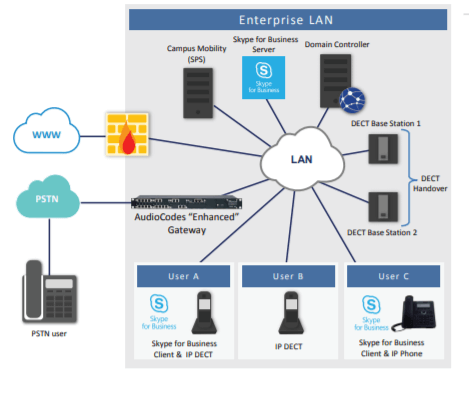
It can be installed on a Mediant appliance or on a separate Windows server. SPS is installed as a native trusted application in Skype for Business.
Here is how we realized it for a demo:
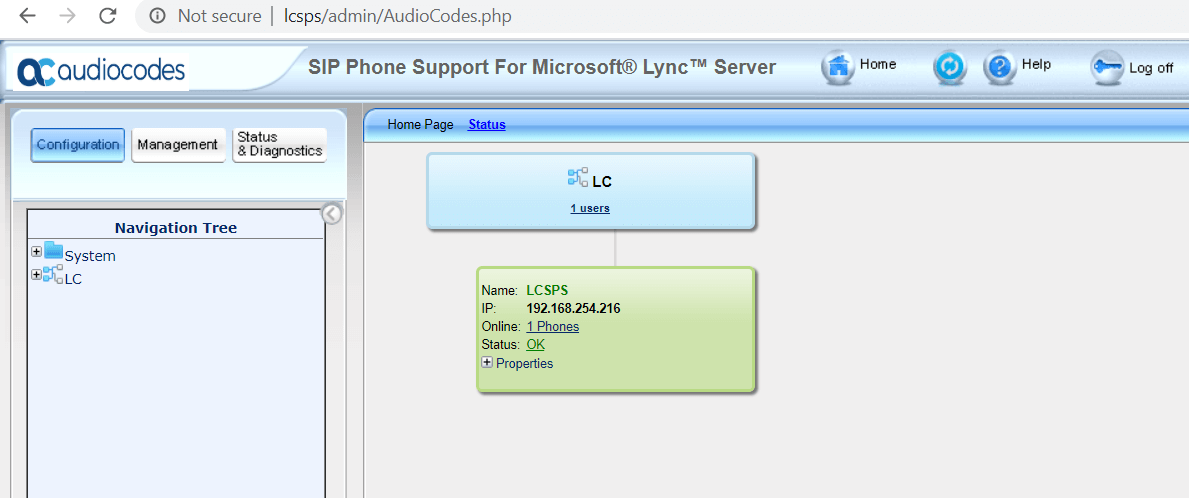
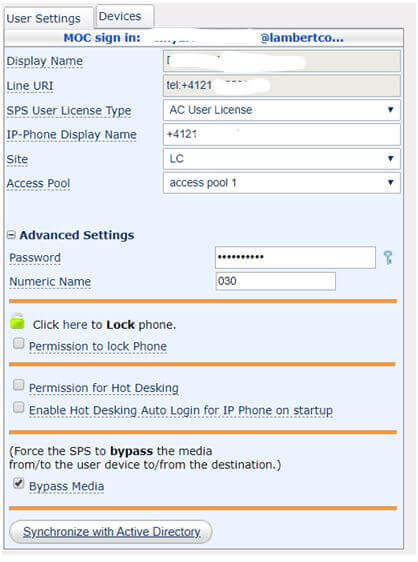
Now that SPS is up and running, we add a SFB user to SPS
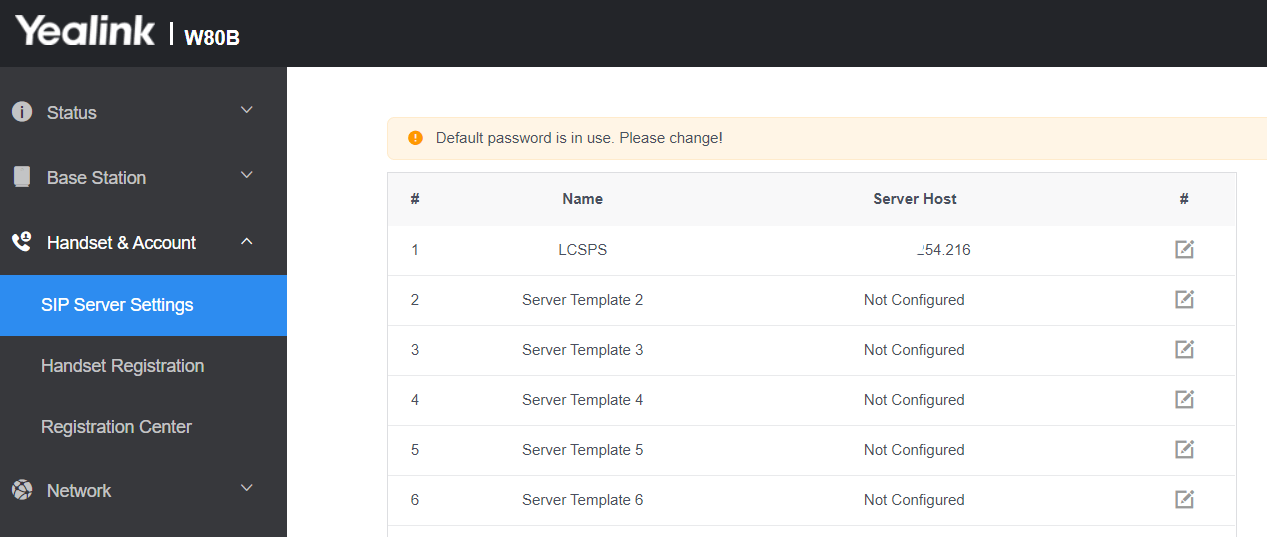
Then, on the other end, we have Yealink DECT (not SFB enabled, but just standard SIP). And we can add SPS as a SIP server:
We can now add a handset for a SFB user:

Note that the password here is not AD "password," but one that SPS manages separately.
That’ it. Now, when Yealink W56H handset is associated with SPS, and SPS is integrated with SFB (it is a SFB trusted application), it rings when SFB the user receives a call. Obviously, the presence status isn’t exactly the same as in SFB, but you can still control it from your DECT phone. Type **1 to set your presence to Busy, type **0 to set your status to Free.
So this way you are not locked to use only Spectralink and you can use any SIP enabled DECT system, especially where you need a basic and cost effective system. Note also that import of Spectralink is not allowed in some countries.
If you do not need DECT, but you use any other standard SIP phones, you can add it to SPS.
What an article Can't Know
An article describes what applies to everyone. What varies from one organization to another is the inventory: which applications, which accounts, and which pieces of equipment are actually involved in your organization. The inventory determines the scope of the effort, and it cannot be summarized on a single page.
You'll be speaking directly with the engineers who will be doing the work, not with a middleman. We'll respond within 24 business hours.
Check what is still true
Announced dates are sometimes postponed, products are renamed, and conditions change. The blog tracks these topics over time: when a rule changes, a new post announces it.
Search for a topic in the blogIn the same issue
Three articles on the same topic. The blog has 136 articles, all of which are freely available.