


Microsoft announces that previous retention policies Teams will no longer apply to Copilot
Microsoft plans to convert only certain legacy retention policies Teams —which may also apply to interactions— Teams Microsoft 365 . What entry 571306 says, what it leaves open, how to identify the targeted policies, and how to cover Copilot with its own location.
On September 18, 2026, Microsoft created, in the roadmap Microsoft 365, entry 571306 regarding Microsoft Purview Data Lifecycle Management. It states that certain existing retention policies, linked to Microsoft Teams, which currently also apply to Microsoft 365 , will be converted into standalone Teams policies and treated as such. They would then no longer implicitly govern Copilot workloads. The entry has a status of “In development,” with general availability announced for October 2026.
For a compliance administrator, the implications work both ways. If the conversion proceeds as announced, a policy that retained Copilot prompts and responses for several years will no longer apply to future Copilot interactions—just as a policy that deleted them after a set period of time would no longer apply; the entry does not specify what happens to the interactions that these policies have already retained. The entry applies only to legacy policies at Teams, and nothing in it pertains to policies configured at Microsoft Copilot experiences. Before the migration, you must therefore determine which policies implicitly cover Copilot through this mechanism and decide whether an explicit Copilot retention policy should take over.
| Element | Value |
|---|---|
| Entry from roadmap | 571306, Microsoft Purview Data Lifecycle Management |
| Status | In development |
| Announced General Availability | October CY2026 |
| Creating the entry | September 18, 2026 |
| Instance specified by the entry | Worldwide (Standard Multi-Tenant) |
| Targeted Strategies | Some older retention strategies Teams that can also be applied to interactions Microsoft 365 Copilot |
| Documented Location for Copilot | Microsoft Copilot experiences |
Retrieved on September 29, 2026, from entry 571306 in the roadmap Microsoft 365.
Why Old Strategies Teams Also Apply to Copilot
The Learn documentation on retention for Copilot explains this using the history of the location. Messages from Microsoft 365 Copilot and Microsoft 365 Copilot Chat were previously automatically included in the policy location named “Teams chats and Copilot interactions,” because they were retained and deleted using the same mechanisms as conversations Teams. Microsoft clarifies that users did not need to use Teams for the policy to apply to Copilot: an employee who never opened Teams but who interacted with Copilot could have their prompts and responses covered by a policy designed for conversations Teams.
Retention strategies for Microsoft 365 Copilot and Microsoft 365 Copilot Chat are now separate from conversations Teams, and policies created since this separation offer new locations: Microsoft Copilot experiences, which includes, among others, Microsoft 365 Copilot, Security Copilot, Copilot in Fabric, and Copilot Studio, as well as Enterprise AI apps and Other AI apps for other AI applications.
The old strategies did not disappear with this separation. The strategy creation page states that existing strategies for “ Teams chats,” and “Copilot interactions” remain supported, but they can no longer be modified once the tenant supports the separate locations, and any new strategies must then use the new locations. Entry 571306 outlines the next steps for some of these legacy strategies: according to Microsoft, they will no longer govern Copilot.
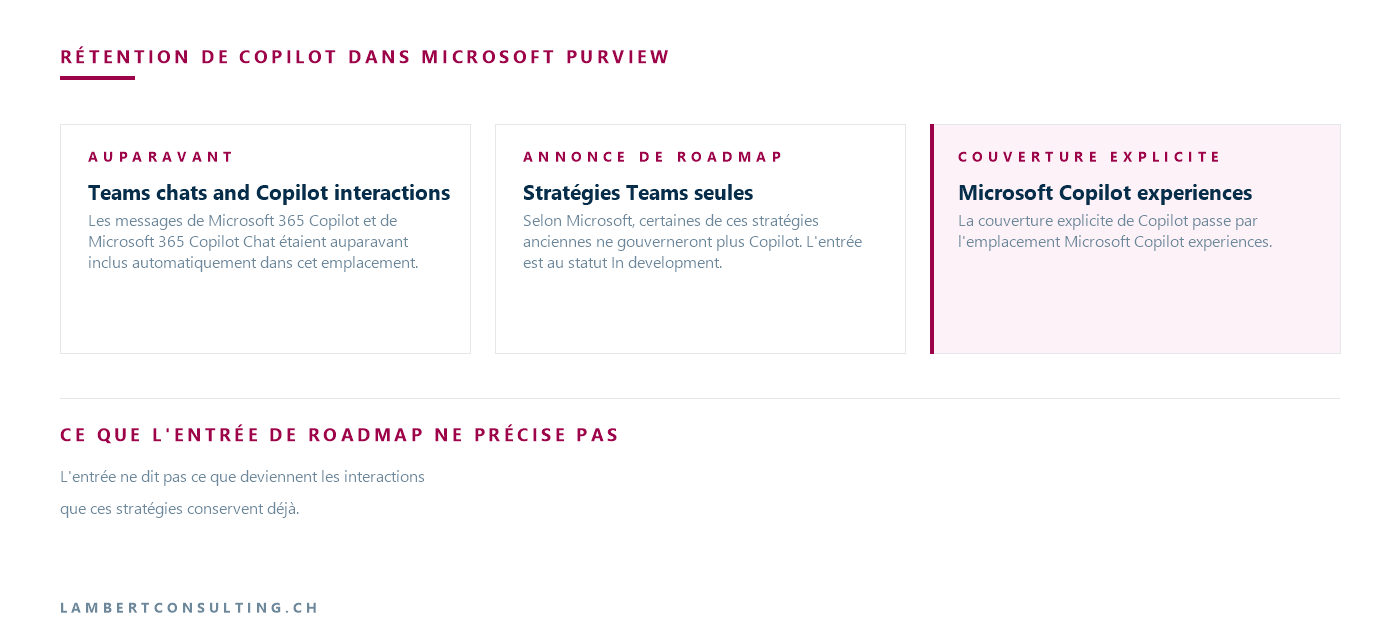
What the entry on roadmap doesn't specify
The entry consists of three sentences, and several points that would be useful to the administrator are not included.
- The conversion process. The provision states that the strategies will be converted into Teams strategies only, without specifying how this will happen or whether the administrator will need to take any action.
- The exact date. Only the month is listed—October CY2026—in an entry that is still "In development."
- Identification of the affected strategies. The entry refers to “certain” existing strategies without providing any criteria, and does not mention any report, notification, or list of the strategies in question.
- The fate of Copilot interactions already retained by these strategies at the time of conversion.
- The location in question. The entry does not mention “ Teams s and Copilot interactions”; it is the Learn documentation that identifies this location as the one that brought together “ Teams ” and Copilot, and this is the most direct way to identify the strategies in question.
Identify " Teams " strategies that cover Copilot
The Learn page that categorizes retention cmdlets provides a useful guide. The cmdlets in the -RetentionCompliancePolicy family are used for so-called legacy locations, including Teams chats and Copilot interactions. The -AppRetentionCompliancePolicy cmdlets are used for newer locations, including Teams chats (excluding Copilot interactions), and Microsoft Copilot experiences. Both families are accessed from Security & Compliance PowerShell.
The inventory is therefore based on two lists. The first lists the strategies Teams of the former family, which are the candidates for conversion:
Get-RetentionCompliancePolicy -TeamsPolicyOnly Get-RetentionCompliancePolicy -Identity "<nom de la stratégie>" -DistributionDetail | Format-ListThe first switch limits the results to policies Teams. The second switch, -DistributionDetail, is required here: the cmdlet page specifies that, without it, the values for DistributionStatus and the *Location properties are inaccurate. The same page warns that the Workload column displays all workloads, not just the one to which the policy actually applies; therefore, it should not be used for sorting.
The second list, retrieved using Get-AppRetentionCompliancePolicy, shows the policies for recent locations—and thus those that already target Microsoft Copilot . Entry 571306 does not target these policies.
For each legacy policy that applies to conversations Teams, three pieces of information are worth noting: the action and duration of the policy (retain, delete, or retain then delete), the users included and excluded, and whether or not there is an explicit Copilot policy for the same users. When multiple policies for the same location apply to a user, the retention rules take precedence, and the data is, for example, retained for the longest duration. If one of these policies ceases to cover Copilot, this can therefore shorten the actual retention period for Copilot interactions or, conversely, reverse a deletion that was previously thought to be in effect.
Create a Copilot retention strategy on the Microsoft Copilot experiences site
Copilot's explicit coverage can be found under " Microsoft Copilot " experiences. In the portal at Microsoft Purview, navigate to Solutions > Data Lifecycle Management > Policies > Retention policies, then select " New retention policy" and follow the instructions on the tab titled " Retention policy for Teams & AI apps."
- Name the policy. In the "Assign admin units" step, keep " Full directory": Microsoft states that administrative units are not currently supported for this type of policy.
- Select either " Adaptive " or " Static." An adaptive strategy assumes that adaptive ranges already exist; without them, the configuration cannot be completed.
- In static mode, enable "Microsoft Copilot " experiences, which Microsoft describes as covering all prompts and responses from built-in and custom Copilot experiences, including Microsoft 365 Copilot, Security Copilot, Copilot in Fabric, and Copilot Studio. All users are selected by default; use “Choose” and “Exclude” to refine the selection.
- Select "Keep," "Delete," or "Keep followed by Delete," then save.
For Microsoft 365 Copilot and Copilot Studio, the documentation states that prompts and responses are included in retention. For other Microsoft Copilot services, as with other AI applications, they are included only if a collection policy is configured to capture the content. Microsoft also notes that a retention policy may take up to seven days to take effect after it is created.
The same policy is created using ` PowerShell ` with `New-AppRetentionCompliancePolicy`, followed by a rule created using `New-AppRetentionComplianceRule`, since a retention policy requires a rule to be fully configured. The cmdlet's reference page marks the ` Microsoft Copilot ` value as "Currently in Preview" and requires that all of the following values be used together in the `-Applications` parameter:
"User:M365Copilot,CopilotForSecurity,CopilotinFabricPowerBI,CopilotStudio,CopilotinBusinessApplicationplatformsSales,SQLCopilot"The same page states that CopilotinBusinessApplicationplatformsSales and SQLCopilot are required, but they have no effect at this stage.
Split an existing strategy by PowerShell, without waiting for the conversion
The strategy creation page already documents the separation of a strategy in Teams s and Copilot interactions. To convert an existing strategy into one dedicated solely to conversations Teams :
Set-RetentionCompliancePolicy -Identity "<nom de la stratégie>" -Applications "User:TeamsChatUserInteractions"To add interactions Microsoft 365 to an existing "Recent Locations" strategy, the same page provides:
Set-AppRetentionCompliancePolicy -Identity "<nom de la stratégie>" -Applications "User:M365Copilot"The two Microsoft pages do not describe Copilot in the same way. As of September 29, 2026, the policy creation page uses only User:M365Copilot to add Copilot to an existing policy, whereas the Set-AppRetentionCompliancePolicy reference requires all six values together for " Microsoft Copilot " experiences. Similarly, the Set-RetentionCompliancePolicy reference describes the -Applications parameter only for groups Microsoft 365, and the value `User:TeamsChatUserInteractions` does not appear on that reference page—it comes from the policy creation page.
Finally, the Set-RetentionCompliancePolicy reference notes that each execution triggers a full synchronization across the organization. When multiple policies need to be modified, Microsoft recommends waiting until one has been successfully deployed before running the cmdlet for the next one.
Content covered by Copilot retention, and Copilot memory that is not covered by it
A retention strategy for Copilot focuses on user prompts and responses—including text, links, and references—as well as Copilot’s thread summaries in conversations and channels Teams. The data is copied to a hidden folder in the user’s mailbox Exchange , which is not intended to be viewed directly but to be queried by the tools at eDiscovery.
Timing is important when processing a deletion rule. A scheduled job thatExchange evaluates the items in the hidden folder and generally takes one to seven days to complete; expired items spend at least one day in the SubstrateHolds folder; and Microsoft provides the example of a deletion configured to occur after one day, which can take up to sixteen days before the message is removed from search results eDiscovery.
Microsoft's considerations for Microsoft 365 Copilot include two limitations that affect data retention. The retention policies for Copilot interactions do not notify users when messages are deleted. And for Microsoft 365 Copilot in Teams, if transcripts are disabled, auditing,eDiscovery , and retention are not supported.
Copilot's memory operates under a different system. The "Learn" page, which describes it in preview, states that memories are stored in a hidden folder within the user's mailbox Exchange , but that the retention policies and labels configured in Purview do not apply to them. Microsoft gives the example of a “delete after three months” policy for interactions Copilot Chat, which does not delete users’ memories after three months, and specifies that no administrative controls allow for the enforcement of retention rules specific to the memory. Saved memories are retained until the user deletes them in Settings > Personalization, and deleting a conversation does not erase the saved memories it generated. On the administrative side, eDiscovery and Content Search allow you to search for memories in the IPM.Contact item class within the CopilotMemory folder; custom instructions are not yet accessible through these tools.
Our Reading
Entry 571306 extends a distinction that Microsoft has already made regarding retention locations. Microsoft has distinguished between Teams and Copilot, made the legacy policies that previously grouped them together non-editable in tenants that support separate locations, and announced that some of these policies will now apply only to Teams. In a tenant that relied on the legacy location to cover Copilot, coverage of Copilot interactions now relies on a policy created for conversations at Teams.
We would set the explicit Copilot retention strategy before making any changes to the old strategies, not the other way around: setting “separate” first would—in the absence of any other Copilot strategy—create a gap during which Copilot interactions would not be governed by any retention strategy. As long as the two Microsoft pages differ on the -Applications value, the portal seems to us to be the safest way to create this policy; PowerShell remains useful for inventory purposes.
Copilot’s storage deserves special attention in this context. It resides in the same mailbox as interactions, but the documentation explicitly states that retention policies do not apply to it. A retention policy that specifies a duration for “Copilot data” would therefore imply a longer retention period than what Purview actually enforces.
Just as with resetting access permissions before Microsoft 365 Copilot, a setting configured for Teams determines what happens to Copilot data.
What to Check
- The policies returned by Get-RetentionCompliancePolicy -TeamsPolicyOnly, reviewed one by one using -DistributionDetail, to identify those that apply to conversations Teams.
- For each rule, the action and duration, as well as the users included and excluded.
- The presence, in Get-AppRetentionCompliancePolicy, of a policy regarding the location Microsoft Copilot experiences for the same users.
- The value—Applications to use, if the Copilot strategy is created via PowerShell, since the two Microsoft pages do not use the same format.
- The transcription settings for Copilot in Teams, which determine whether retention is supported.
- The role of Copilot in the retention policy, since Purview retention strategies do not apply to it.
- The status of entry 571306 in the roadmap, whose status and announced month are still subject to change.
Microsoft Sources
- Microsoft 365 roadmap, entry 571306: Legacy Teams retention policies covering Copilot will be treated as Teams-only
- Learn about retention for Copilot and AI apps
- Create and configure retention policies
- Identify the available " PowerShell " cmdlets for retention
- Get-RetentionCompliancePolicy
- Set-RetentionCompliancePolicy
- New-AppRetentionCompliancePolicy
- Set-AppRetentionCompliancePolicy
- Microsoft Purview data security and compliance safeguards for Microsoft 365 Copilot and other generative AI apps
- Microsoft Purview 's Considerations for Managing Microsoft 365 Copilot and Channel Agent in Teams
- Manage Copilot personalization and memory
What an article Can't Know
An article describes what applies to everyone. What varies from one organization to another is the inventory: which applications, which accounts, and which pieces of equipment are actually involved in your organization. The inventory determines the scope of the effort, and it cannot be summarized on a single page.
You'll be speaking directly with the engineers who will be doing the work, not with a middleman. We'll respond within 24 business hours.
Check what is still true
Announced dates are sometimes postponed, products are renamed, and conditions change. The blog tracks these topics over time: when a rule changes, a new post announces it.
Search for a topic in the blogIn the same issue
Three articles on the same topic. The blog has 149 articles, all of which are freely accessible.