


Microsoft Sentinel In the Defender portal: What you need to prepare before March 31, 2027
Microsoft Sentinel will no longer be supported in the portal Azure after March 31, 2027. The transition to the Defender portal requires specific roles, delegates incident creation to the Defender XDR engine, and changes several conditions of the automation rules.
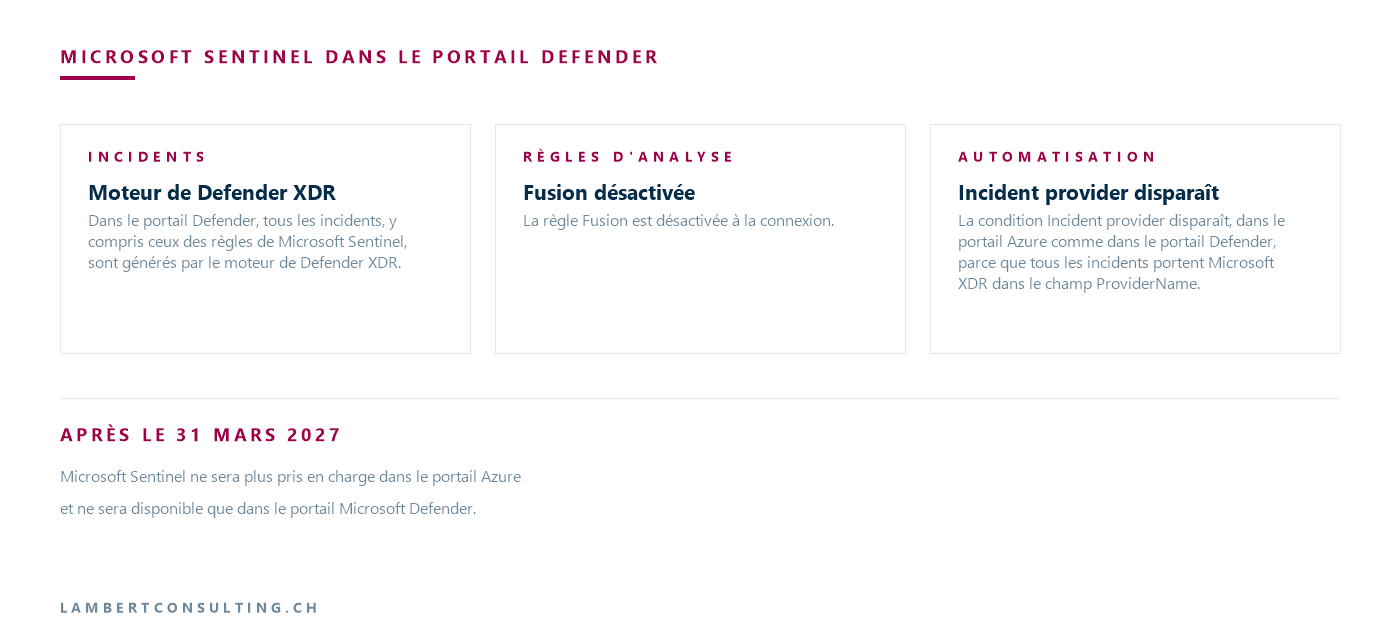
After March 31, 2027, Microsoft Sentinel will no longer be supported in the portal Azure and will only be available in the Microsoft Defender portal. Microsoft states that all customers who are still using it in the portal Azure will be redirected to the Defender portal. The product is generally available there, including for customers who do not have either Microsoft Defender XDR or an E5 license, and Microsoft states that the transition involves no additional costs, as usage of Microsoft Sentinel will continue to be billed as before.
However, the way it works has changed: incidents now go through the Defender XDR correlation engine, several conditions of the automation rules no longer apply, and connecting to a workspace requires specific roles on the subscription and in Microsoft Entra ID.
| Location | What Microsoft Documents | Date |
|---|---|---|
| New client, tenant's first workspace, Owner or User Access Administrator role, excluding delegation Azure Lighthouse | Account automatically logged in to the Defender portal duringonboarding at Microsoft Sentinel | Effective July 1, 2025 |
| New customer without these roles | No automatic login; redirect links, and a user with the appropriate roles must log in to the space | Effective July 1, 2025 |
| An existing client who creates a space in a tenant that already has one, or a user delegated by Azure Lighthouse | No automatic login, no redirect links | Starting in July 2025 |
| Managed client that has not migrated to the Defender portal | Onboarding an automated survey conducted by Microsoft, announced about 30 days earlier | Scheduled to begin in September 2026 |
| Space still in use in the portal Azure | No more support in the portal Azure, redirect to the Defender portal | After March 31, 2027 |
Retrieved on September 29, 2026 from Microsoft documentation.
Connecting a workspace: Required roles
If the connection to the Defender portal is not automatic, you can establish it by going to System > Settings > Microsoft Sentinel > Connect a workspace, selecting the workspaces, and then selecting the primary workspace. A client using Microsoft Sentinel without Defender XDR must complete one additional step to initiate the connection.
The connection requires either the Owner role assigned unconditionally at the subscription level, or a combination of the User Access Administrator and Microsoft Sentinel Contributor roles. The Microsoft table also lists the Microsoft Entra Security Administrator role at the tenant level, and its note specifies that it is required whenever the tenant has more than one workspace with Microsoft Sentinel.
Once the space is connected, the Azure RBAC continue to apply. Microsoft requires that you manage user roles in Microsoft Sentinel through the portal Azure, and any changes are reflected in the Defender portal. The connection also assigns the “ Microsoft Sentinel Contributor” role to the Microsoft Threat Protection and Windows Defender ATP apps in the subscription.
For Microsoft Sentinel data in the Defender portal, Microsoft does not support GDAP with Azure Lighthouse and refers users to B2B Microsoft Entra authentication. The IdentityInfo table becomes a native Defender table, with no access control at the table level: any restriction set at this level in the portal Azure disappears in the process. To compartmentalize data without separating spaces, Microsoft offers scoping, a row-level RBAC currently in preview, configured in the Defender portal using Unified RBAC.
Without Defender features enabled, Microsoft lists three features that are limited or unavailable
With Defender XDR, the Home, Incidents, and Advanced Hunting pages combine data from Microsoft Sentinel and Defender XDR ; without Defender XDR, they display only data from Microsoft Sentinel. When Microsoft Sentinel is connected to the Defender portal without Defender capabilities or other services, Microsoft indicates that three capabilities are limited or unavailable: Microsoft Security Exposure Management, custom detection rules, and the Action Center—the latter two of which are provided by Microsoft Defender.
Data policies are also changing. In the Defender portal, the policies for Microsoft Defender XDR govern storage, processing, retention, and sharing—including for data from Microsoft Sentinel. For a storage space encrypted with a customer-managed key (CMK), logs and rules remain encrypted with the CMK, but alerts and incidents are no longer encrypted after they are connected.
Analysis Rules: Defender XDR 's correlation engine replaces Fusion
Microsoft SentinelAnalysis rules are created and managed as before—using the wizard, repositories, or theAPI . However, in the Defender portal, all incidents—including those from Microsoft Sentinel rules—are generated by the Defender XDR engine. The Fusion rule is disabled upon login, and this engine takes over the correlation that Fusion previously handled. Several behaviors have changed:
- Alert aggregation and incident merging are managed by the engine at Defender XDR, even though the setting remains visible in the rule: rules that create one incident per alert may result in merged incidents;
- Alerts from a rule configured to generate alerts only—without creating an incident—are not visible in the Defender portal;
- Active Microsoft incident creation rules are disabled to prevent duplicates;
- The alert grouping setting can no longer be configured to reopen a closed incident: new alerts create new incidents.
Automation Rules: The "Incident provider" condition is being removed, and three others are changing
Playbooks are still workflows Azure in Logic Apps. What has changed are the automation rules that trigger them: in the Defender portal, a rule with an alert trigger only applies to alerts from Microsoft Sentinel, and Microsoft refers to the Enhanced Alert Trigger for alerts from Defender XDR.
The "Incident provider" field disappears in the portal Azure as well as in the Defender portal, because all incidents include "Microsoft XDR" in the field ProviderName. Existing rules are then applied to incidents at Microsoft Sentinel as well as those at Defender XDR, including those that targeted a single provider. To limit a rule to incidents at Microsoft Sentinel, Microsoft recommends using the "Analytic rule name" condition, with an analytic rule that exists only at Microsoft Sentinel. Other conditions are affected:
- The SecurityIncident table no longer contains a Description field: a rule that uses it as a condition no longer works, and a ticketing tool such as ServiceNow no longer receives the description;
- Incident titles may change when correlation is applied, and Microsoft recommends not using them as conditions, but rather using the name of the analysis rule and tags instead;
- In the "Updated by" field, the value Microsoft 365 "Defender" changes to "Other."
The timeframes also vary. An automation rule may run up to 10 minutes after the alert is triggered, because the incident is first created in the Defender portal before being forwarded to Microsoft Sentinel. If multiple changes are made to the same incident within 5 to 10 minutes, only a single update is sent—containing the latest change—and any intermediate states are lost.
Manually running a playbook on an alert or an entity is currently not supported in the Defender portal, and an automation rule is not created there from an incident, but rather from the Automation page. Incidents created by theAPI, by a Logic Apps playbook, or manually in the portal Azure are not synchronized to the Defender portal.
Workbooks, hunting, and API : bookmarks, Workspace Manager, and providerName
Workbooks remain the primary visualization tool and function just as they do in the portal Azure ; to display Advanced Hunting data there, logs must be ingested into Microsoft Sentinel. Existing tables, KQL queries, and functions remain usable in Advanced Hunting, but bookmarks are not available there: they remain under Microsoft Sentinel > Threat Management > Hunting. The IdentityInfo table in Advanced Hunting renames or does not support certain fields, and queries running in Microsoft Defender —particularly custom detections—need to be reviewed. Workspace Manager is not available in the Defender portal; Microsoft offers content deployment from a repository (in preview) or the multitenant portal.
On the API side, the response body from SecurityInsights has changed: providerName changes from “ Azure Sentinel" to "Microsoft XDR," and a field providerIncidentUrl Microsoft Graph is added. For unified incidents and alerts, Microsoft recommendsAPI ( );Microsoft Sentinel (API ) continues to be supported for policies and other resources.
Multiple workspaces: The Defender XDR connector connects only to the main workspace
The Defender portal supports one primary space and multiple secondary spaces per tenant. The Defender XDR connector is connected only to the primary space, and the connection automatically disconnects the standalone Microsoft Defender for Office 365, Microsoft Entra ID Protection, Microsoft Defender for Cloud Apps, Microsoft Defender for Endpoint, and Microsoft Defender for Identity. Alerts from these products are then only available in the primary workspace, and only alerts from that workspace are correlated with Defender XDR. Microsoft recommends transferring automation rules to the relevant workspace so they continue to run. You can change the primary workspace under System > Settings > Microsoft Sentinel > Workspaces by selecting “Set as primary.”
MSSP-Managed Customers: Automaticonboarding Scheduled for September 2026
On September 9, 2026, Microsoft announced to its partners that, starting in September 2026, it would begin automatically connecting managed customers who had not yet migrated to the Defender portal. Microsoft manages the timeline, notifications, and technical integration; tenant administrators will receive a banner in the portal and an email approximately 30 days in advance. Third-party connectors, content, and data will remain in place.
For a customer with multiple spaces, Microsoft selects the primary space, and content in secondary spaces that depends on Defender XDR may stop working. Microsoft recommends migrating the affected scan rules, automation rules, playbooks, and workbooks to the primary space. To request a different primary space, the announcement states to email [email protected] along with the tenant ID and the resource ID of the desired space.
Onboarding After September 23, 2026: The data lake does not require a separate onboarding
For customers who complete their onboarding after September 23, 2026, the Microsoft Sentinel data lake is integrated into Microsoft Sentinel as a low-cost ingestion and storage tier for long-term retention, with no separate onboarding or billing configuration required. Complete theonboarding for Microsoft Sentinel, verify that the space is connected to the Defender portal, and then enable the data lake tier in Table management by selecting a table and configuring its Retention settings.
For an existing customer who had not performed the data lake “onboarding ,” retention shifts from an archive-based model to retention within the data lake, which can be queried directly in Advanced Hunting without restoration. The Microsoft page dedicated to data lakeonboarding notes an impact on costs: for an organization already using the SIEM, billing for features such as search jobs, auxiliary logs, and long-term retention will be charged to the data lake’s usage metrics, which may increase costs.
Our Reading
We would not treat March 31, 2027, as an interface change. The integration shifts incident creation to the Defender XDR engine, and that’s where the regressions occur: an automation rule that filters based on the incident description or provider no longer behaves as it did before, and one that filters based on the title may stop applying when correlation renames the incident. We would therefore start by taking inventory of the automation rules and playbooks.
In a multi-space tenant, we would select the primary space before logging in and move the content that depends on Defender XDR to that space. For a managed client, it’s worth making this decision before Microsoft does so during the automaticonboarding . Finally, we would verify the encryption of alerts and incidents—which is no longer managed by CMK after the connection—and then review access to IdentityInfo. Incident response procedures, including those that prepare the organizationto report a cyberattack to the OFCS when it occurs, rely on the incident queue in the Defender portal; these procedures should be reviewed once the tenant is connected.
What to Check
- The roles of the person who will log in: Unrestricted Owner of the subscription, or User Access Administrator and Microsoft Sentinel Contributor, as well as Security Administrator in Microsoft Entra ID —which the Microsoft table lists as required for logging in and which its note specifies is required as soon as the tenant has more than one namespace.
- Without Defender XDR, the additional step of logging in, and the possible use of Exposure Management, custom detection rules, or the Action Center.
- The choice of the main section, and the content of the sub-sections, depends on Defender XDR.
- Automation rules that use the Incident provider, the Description field, the incident title, or the Microsoft 365 "Defender" in the "Updated by" field.
- Rules for analysis in "alerts only" mode, and those that reopen closed incidents.
- Integrations that read
providerNameor the description of the incidents by the SecurityInsightsAPI . - CMK encryption of alerts and incidents, restrictions on IdentityInfo, and GDAP access with Azure Lighthouse.
- For a " onboarding " after September 23, 2026, the activation of the data lake in Table Management and its impact on billing.
Microsoft Sources
- Microsoft Sentinel on the Microsoft Defender portal
- Migrate your Microsoft Sentinel environment to the Defender portal
- Connect Microsoft Sentinel to the Microsoft Defender portal
- What is Microsoft Sentinel security information and event management (SIEM)?
- What's New in Microsoft Sentinel
- Partner Center Announcements, September 2026
- Roles and Permissions in the Microsoft Sentinel Platform
- Onboard to Microsoft Sentinel data lake and Microsoft Sentinel graph
- Onboard Microsoft Sentinel to a Log Analytics workspace
What an article Can't Know
An article describes what applies to everyone. What varies from one organization to another is the inventory: which applications, which accounts, and which pieces of equipment are actually involved in your organization. The inventory determines the scope of the effort, and it cannot be summarized on a single page.
You'll be speaking directly with the engineers who will be doing the work, not with a middleman. We'll respond within 24 business hours.
Check what is still true
Announced dates are sometimes postponed, products are renamed, and conditions change. The blog tracks these topics over time: when a rule changes, a new post announces it.
Search for a topic in the blogIn the same issue
Three articles on the same topic. The blog has 153 articles, all of which are freely accessible.