


Microsoft 365, the new tools for Swiss companies
We're familiar with Office because of the office suite's reputation. With Microsoft 365, additional services have been added, such as OneDrive, Skype For BusinessExchange Online, and Sharepoint. You may not know it yet, but there are other features that enhance the services offered by Microsoft. Let’s take a quick look at them.
Note that we will not discuss the EM+S tools included in Microsoft365 in this article.
Office... What else?

In addition to the enhancements and improvements that Microsoft regularly makes to its office suite, there have recently been new products and services that have expanded the possibilities for collaborative work in the cloud. These include Bookings, Delve, Teams, Sway, Planner, Forms, Stream, and Flow.
Some of these services have been developed to meet the needs of SMEs, others enrich the collaboration of multimedia platforms in companies.
Microsoft Bookings
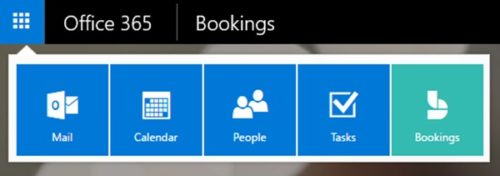
I'll start with Microsoft Bookings. It’s a system that, essentially, lets you publish services and allows customers to book them through the company. This is done by synchronizing the calendar with available time slots. Each reservation is automatically added to your calendar, along with the customer’s contact information and the requested service. Here’s a short demo video (in English):
As you can see, this can be very useful, especially for smaller structures, and this kind of service can be easily integrated into existing websites.

Microsoft Delve
Let’s now turn to Microsoft Delve. The goal is to enable all users within an organization working with Office 365 to manage relationships between documents, information links, and the use of shared resources—all within an interface that makes it easy to navigate. Here’s a short explanatory video (in English):
Delve Display personalized content from Office 365 (OneDrive Enterprise, SharePoint, Exchange, Yammer, etc.). Powered by Office Graph, Delve displays information based on the content you’re working on and the people you’re collaborating with, while adhering to the defined permissions.
Microsoft Teams
As one of the most important aspects for Microsoft is, the collaborative work, a new tool, grouping the main functions has been made available, I speak about Teams.
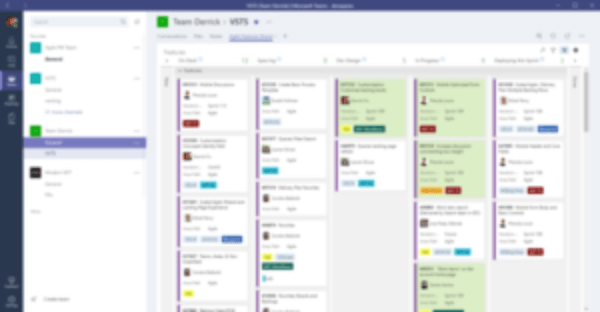
Microsoft Teams lets you chat in real time, have video conversations, or simply send a message. It allows you to stay up to date on company news (similar to Yammer groups) and access all attached files in one central location. Of course, you can access it from your mobile device or computer. Teamwork is the goal of this platform. The platform brings together all Office 365 applications—including Word, Excel, PowerPoint, OneNote, SharePoint and Power BI—in one place. Since employees are already familiar with these tools, they’ll find the platform easy to use. Thanks to easy-to-use sharing features, your team members are more in sync than ever. To widely promote the platform’s capabilities, aYouTube channelhas been set up.

Microsoft Sway
We’re now going to talk about Sway. When it was launched, many people described Sway as a replacement for PowerPoint. Although it’s designed for presenting topics, Sway stands out for its online content management and editing capabilities. It’s a tool that lets you create original presentations without having to worry about formatting. All you have to do is incorporate content from a wide variety of sources, such as videos, images, and even a map. Short introductory video (in English):
In short, it’s a virtual storytelling app for work, school, and home that lets you easily create and share elaborate interactive reports, presentations, personal stories, and more. Just add your content— Sway takes care of the rest.
Microsoft Planner
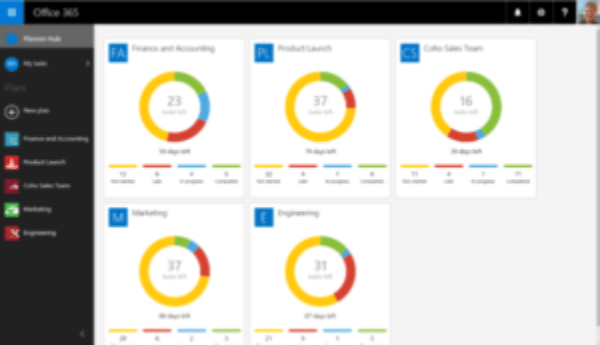
Microsoft Planner was recently introduced to complement what can be done with Microsoft Project. Think of Planner as a tool to help manage tasks distributed among various teams within the same organization. Once you launch Planner, you can create a plan, assemble a team, assign tasks, and update the progress status in just a few simple steps. A dashboard lets you track task progress by individual and by team.
Very useful in a multi-departmental structure, with various projects or teams.
One feature that’s often missing is the ability to create forms for collecting information or conducting surveys. InfoPath does allow you to do this, but Microsoft wanted to take it a step further by offering the ability to create forms that can be cloud and integrate them into any type of website. This idea gave rise to Microsoft Forms.
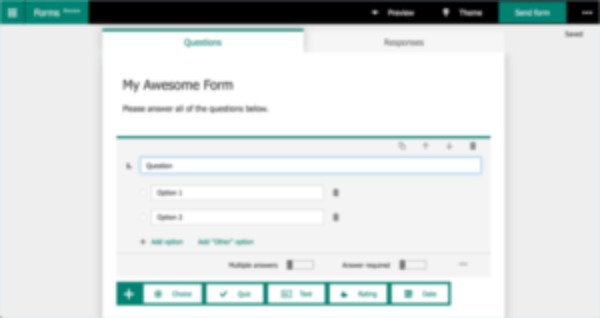
Microsoft Forms
Still in the Preview version (available for testing, but not yet in its final form), this product makes it easy to create an online form and publish it. For example, a course evaluation could be created, and participants could rate their satisfaction. The information can then be imported into Office 365.
Small demo:
One of the advantages is that it is possible to share access to your form outside the structure of your organisation or company (e.g. satisfaction survey for customers).
Microsoft Stream
Let’s talk about video content. Some time ago, Microsoft introduced a product simply called “Video,” built on a platform Sharepoint. A new product calledStreamwas recently launched. Eventually,Stream will replace the Video app inOffice 365. Here’s a video explaining what Stream does (in English):
Stream could be compared to a kind of corporate YouTube, with broadcast channels, themes and much easier video playback.
Microsoft Flow (or Power Platform)
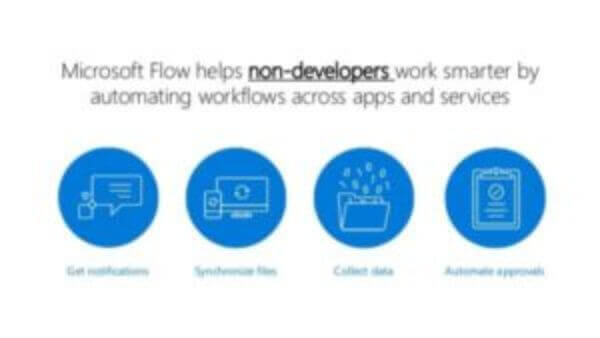
Finally, let’s talk aboutMicrosoft Flow. It’s a workflow and process manager that can be linked to various applications or data inputs as triggers for actions you want to automate. This can range from detecting a tweet about the company—to notify multiple groups—to creating an entry Sharepoint and automatically sending a link to a group of users. The biggest advantage of this product is that it’s designed for non-developers, allowing them to set up automated tasks very easily within your organization Office 365.
Here is an explanatory video:
In summary Microsoft 365 ; Is this a bomb?
There’s no question that Microsoft has expanded its offerings for businesses with a number of innovative products. Announcements regarding future solutions, based on the Cloud and modules Office 365 will continue to increase in the coming months and years. It’s clear that Microsoft is seeking to compete with Google and its products cloud. We can also see that solutions such asSlack, which has a strong presence in the collaboration space, have put some pressure on Microsoft to secure a foothold in a rapidly expanding services market. One of the major challenges will remain communicating the availability of these services, their interaction and integration within businesses, and providing insight into the products’ long-term viability.
Author: Michel Aguilera
What an article Can't Know
An article describes what applies to everyone. What varies from one organization to another is the inventory: which applications, which accounts, and which pieces of equipment are actually involved in your organization. The inventory determines the scope of the effort, and it cannot be summarized on a single page.
You'll be speaking directly with the engineers who will be doing the work, not with a middleman. We'll respond within 24 business hours.
Check what is still true
Announced dates are sometimes postponed, products are renamed, and conditions change. The blog tracks these topics over time: when a rule changes, a new post announces it.
Search for a topic in the blogIn the same issue
Three articles on the same topic. The blog has 139 articles, all of which are freely available.