


Renew, reduce, or expand your fleet Microsoft 365 Copilot: What Microsoft Reports Reveal
The first annual review of a license portfolio Microsoft 365 raises a question of scale: how many licenses to renew, and for whom. Microsoft provides three metrics to answer this question—the usage reports in the admin center, the Copilot Dashboard, and Copilot Analytics—and they do not all support the same decision. None of the three measures quantifies actual time savings, but all show actual usage, which is more than enough to decide whether to renew a license.
What the Microsoft reports indicate
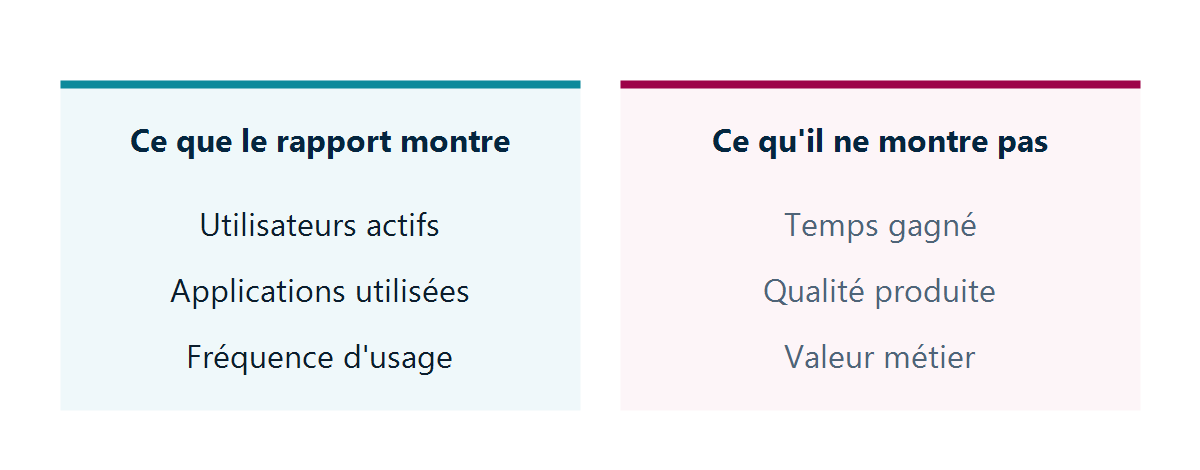
The Administration Center Usage Report Microsoft 365 presents usage data, available in 7-, 28-, 90-, or 180-day periods, with a 48-hour update interval:
- the number of users with a license;
- the number of active users and the resulting rate;
- Breakdown of usage by application— Teams, Outlook, Word, Excel, PowerPoint, OneNote, Loop, Edge;
- For each user, the number of active days and the date of last activity.
It’s important to understand how “activity” is defined before looking at the metric: Microsoft only counts intentional actions as activity. Opening the Copilot panel in a document doesn’t count; submitting a request does. The active user rate is therefore not inflated by accidental openings, making it a useful metric as is.
A helpful clarification to avoid a costly detour: Microsoft explicitly states that audit logs are not intended to serve as the basis for calculating Copilot usage. This question often arises when management is looking for a source they consider more reliable; the documented answer is to rely on usage reports.
What they do not establish
The Copilot Dashboard displays a metric titled “hours assisted by Copilot.” This is not a measurement; it is derived from multipliers based on Microsoft’s research, applied to usage volumes. Microsoft itself describes these values as broad estimates rather than precise calculations. The derived monetary value applies an hourly rate to these hours; the default rate of $72 is based on U.S. labor market statistics.
These figures are useful for tracking internal trends from one period to the next. They lack the robustness required for budget allocation decisions, and a finance department would rightly disregard them if they were presented as a measured result.
There are therefore three things that remain beyond the scope of these reports, regardless of the data analyzed: the actual time saved by job function, the quality of the output, and the cause-and-effect relationship between the tool and a business outcome.
The Three Types of Flooring, and How Much They Cost
The usage reports from the administration center require nothing more than the licenses that have already been paid for. This is the source to use when determining the volume.
The Copilot Dashboard does not require a paid Viva Insights license or even a Copilot license to view. Two thresholds determine what it displays: data processing begins once a Copilot license is assigned, and all features—benchmark comparisons, weekly and monthly trends, and sentiment analysis—appear only once fifty licenses are in use. Below that threshold, a pilot group can view adoption and impact metrics, but not the comparisons.
Copilot Analytics provides the information that matters most to senior management, and this is the part that requires some work on your end. The business impact report does not generate results on its own—it requires you to upload your own performance data. Microsoft provides a list of metrics by function—average deal size, customer retention rate, and cost per lead for sales; number of IT support requests and resolution time for IT; and engagement and retention for human resources.
That’s what determines the quality of your deliverable: without your own performance data, you’ll only have usage metrics, which don’t demonstrate value.
The four numbers to provide before the deadline
- The 90-day active user rate. A 28-day window reacts too quickly to holidays and busy periods.
- Breakdown by application. A device fleet whose use is concentrated on a single application does not have the same future as one where four applications are used.
- The number of dormant licenses. The names of users who were inactive during the period. The report lists them.
- The cost per active user. The license is priced at $30 per user per month with an annual commitment, and is in addition to the Microsoft 365 eligible license you are already paying for. Divided by the number of active users, this amount gives the actual cost per user.
These four figures are generated in half a day and are sufficient to determine whether to continue, reduce, or redeploy.
Cut Back Without Eliminating: What’s Included in the Offer
Revoking a license does not mean revoking access to the AI. Microsoft 365 Copilot Chat is included with an Microsoft 365 eligible subscription, at no additional cost.
The difference in scope is clear and well-documented: Copilot Chat is not integrated with the organization’s content—no files, emails, or conversations. The paid license adds this integration, along with integration with Teams, Outlook, Word, Excel, and PowerPoint, full access to agents, as well as SharePoint Advanced Management and Copilot Analytics.
This last point deserves the attention of management considering reducing its license count to a symbolic number: content governance and measurement tools are tied to paid licenses. They do not disappear as long as at least one license remains in the organization, but reducing the license count to zero eliminates them entirely.
Finally, two commercial rules govern this process. There has been no minimum purchase volume since January 2024, which makes a price reduction technically possible. And self-service purchasing by users themselves is not available for Copilot, which prevents a price reduction decided at the top from being circumvented at the bottom.
Our Reading
A Copilot renewal deadline is almost always the result of a misunderstanding that is best cleared up before the meeting.
The finance department expects proof of value, and that proof cannot be found in any Microsoft report. The billable hours displayed in the dashboard are estimates derived from multipliers and then converted using a default hourly rate based on foreign statistics. Presenting these as measured results does a disservice to management, because the figure will not stand up to the first serious scrutiny, and the credibility of the entire project will suffer as a result.
Our recommendation is to stop trying to demonstrate a return on investment and instead demonstrate a use case, after which we can discuss the price. The 90-day active user rate and the cost per active user are verifiable facts that can be covered in a single meeting and are sufficient to make a decision. It’s a more modest trade-off than the one you might be asked to make, but it’s the only one based on solid evidence.
The temptation to cut everything off is also worth discussing. It’s understandable when adoption rates are disappointing, but it’s often premature: low usage more often signals a lack of identified use cases than a rejection of the tool, because no one has told the teams how it applies to their work. Before canceling licenses, check to see if anyone has done this work. If not, you’re about to punish a failure to provide adequate support.
Conversely, there is one scenario where it makes sense to downgrade without hesitation: when, for several months now and among virtually all users, usage has been limited to conversation alone—asking general questions or having the AI write a text from scratch. This functionality is already covered by the features included in your subscription Microsoft 365. What the paid license adds is the ability to link to your own documents and integrate with applications; if no one uses these features, you’re paying a second time for something you already have.
What Needs to Be Decided
- Provide the four figures before you begin discussions with the dealer—not after you’ve received their renewal offer.
- Set the activity threshold below which a license will be revoked, and notify the teams before the deadline—not on the day the license is revoked.
- Decide whether you want to demonstrate business value. If so, start collecting performance data several months before the next deadline—you can’t make up for lost time.
- Treat inactive users as a support issue before treating them as a licensing issue: an unused license more often indicates a lack of an identified use case than a refusal.
- Check what you'll be missing out on before downgrading to a lower-tier license: content governance features are only available with a paid license.
The technical aspect of this exercise consists of a few exports that your administrators will be able to generate with ease; what takes time is linking these metrics to a result that your organization recognizes as its own. Lambert Consulting can provide a framework for this measurement and guide the decision-making process for renewal at Microsoft 365 Copilot. If the fleet was opened without access rights having been transferred beforehand, this task takes priority over any discussion of volume.
Microsoft Sources
What an article Can't Know
An article describes what applies to everyone. What varies from one organization to another is the inventory: which applications, which accounts, and which pieces of equipment are actually involved in your organization. The inventory determines the scope of the effort, and it cannot be summarized on a single page.
You'll be speaking directly with the engineers who will be doing the work, not with a middleman. We'll respond within 24 business hours.
Check what is still true
Announced dates are sometimes postponed, products are renamed, and conditions change. The blog tracks these topics over time: when a rule changes, a new post announces it.
Search for a topic in the blogIn the same issue
Three articles on the same topic. The blog has 149 articles, all of which are freely accessible.