


Co-Management from Windows 10: The path to the Modern Management
Why modern management?
The Modern Management moves away from dependencies On-Premise, creates a more flexible and mobile workplace, and enables more cost-effective device management Windows 10. This means doing things the smart way, rather than continuing to do them the way you’ve been doing them for about 100 years. Why would you want to stop doing what you’re doing and start doing things a new way? One reason is to save time for both IT and end users. By saving money, you’ll be able to reduce costs within your company. It’s also about not reinventing the wheel—something all organizations are doing, in a sense, today.
Some examples
Example 1
A practical example involves deploying F12/PXE machines as soon as they arrive in the organization. Think differently—stop creating reference images, stop certifying hardware, and use modern deployment tools such asAutoPilot and Intune to save time and modernize the deployment process.
Example 2
Another example is that you can reduce complexity and eliminate infrastructure, for example, by applying patches. Decommission the old WSUS servers and apply the patches via Windows for Business Update, which means relying on existing Microsoft infrastructure rather than downloading everything from Microsoft, approving patches, distributing them, and so on.
Introduction and Definition of the Co-Management
"Co-management" or co-management is the first fundamental step toward modern management, enabling you to use Windows and their configurations “as-is,” while adding a modern management tool. Once this is done, you’ll be able to transition to modern management, since the shift to the modern world won’t happen overnight for most organizations.
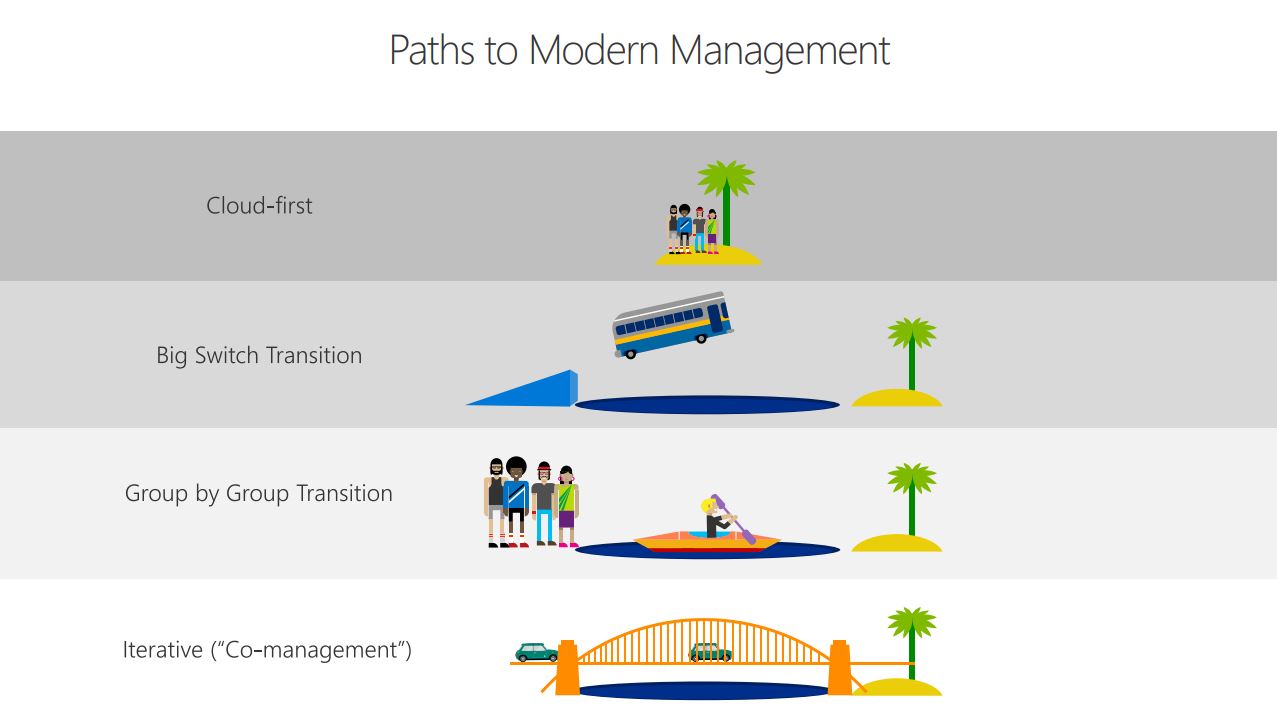
Now, “co-management” means different things to different people. Our take on “co-management”—whether or not the customer uses ConfigMgr—is to keep your customer’Windows 10 “as-is.” By that, we mean that Active Directory Joined should be configured via Group Policy objects, and then by adding the enrollment MDM so you can begin setting up a new configuration via MDM.
Fundamental thoughts
Our idea is that once you’ve decided to embark on the path to modern management, you’ll no longer have to work on adding new features to your existing solutions. This includes not writing scripts, configurations, or applications deployed or configured via Active Directory or on-premises ConfigMgr. Instead, you do it in the modern management tool (if possible). Focus 100% on migrating your current resources to the world of modern management!
Goals
The ultimate goal, which should be sought, is achieved when configuration, patches and applications are managed by a modern management solution, and there is no dependency on on-premises resources such as ConfigMgr, distribution points, Group Policy Objects, etc. Do we believe this can be achieved regardless of organisation and size? Yes. However, there are many challenges and it will certainly not be easy or quick for many organisations. It will take years for many organisations, but we see great potential to achieve the goals in a much shorter period of time.
Applications
Applications are one of the greatest challenges of the modern world. In an ideal world, applications would move away from using Kerberos or other traditional authentication mechanisms, as well as legacy code or runtime requirements. Instead, rely on modern authentication—and preferably OAuth 2.0—to further eliminate on-premises dependenciesActive Directory on-premises while still offering the ability to use conditional access, for example.
Current applications, whether traditional or legacy, in MSI or EXE format, need to be replaced, redesigned or repackaged. Today, repackaging can be done by repackaging in AppX format. Popular packaging software such as AdminStudio has had this capability for several years, but if you want a free option, look at Advanced Installer which also allows applications to be packaged in AppX format.
No matter which option you choose for the co-management (see: " Co-Management Deployment Options" articles at MDM), moving to this new packaging format is the best way forward. At least for the option involving clients without ConfigMgr (see "Deployment Options"), switching to this new package format is essential, as there is no other effective way to deploy applications besides this one.
What an article Can't Know
An article describes what applies to everyone. What varies from one organization to another is the inventory: which applications, which accounts, and which pieces of equipment are actually involved in your organization. The inventory determines the scope of the effort, and it cannot be summarized on a single page.
You'll be speaking directly with the engineers who will be doing the work, not with a middleman. We'll respond within 24 business hours.
Check what is still true
Announced dates are sometimes postponed, products are renamed, and conditions change. The blog tracks these topics over time: when a rule changes, a new post announces it.
Search for a topic in the blogIn the same issue
Three articles on the same topic. The blog has 155 articles, all of which are freely available.